
线下付款码支付
# 线下付款码支付
目前支付宝和微信都支持线下付款码支付,前提是商家POS系统必须包含可以读取条形码的扫码枪,POS系统需要将条形码转换为数值。
商家扫购物者手机钱包应用程序中显示的条形码,POS应用程序在发起付款请求的时候将此条形码数据发送给 PingPong 进行处理。
# 支付流程
用扫码枪扫购物者的条形码。
将条形码数据转换为数值,以便在付款请求中传递。 例如,数值包含:
- 支付宝16-24位。
- 微信支付18位数字。
条形码码值查看如下图所示:
Alipay:
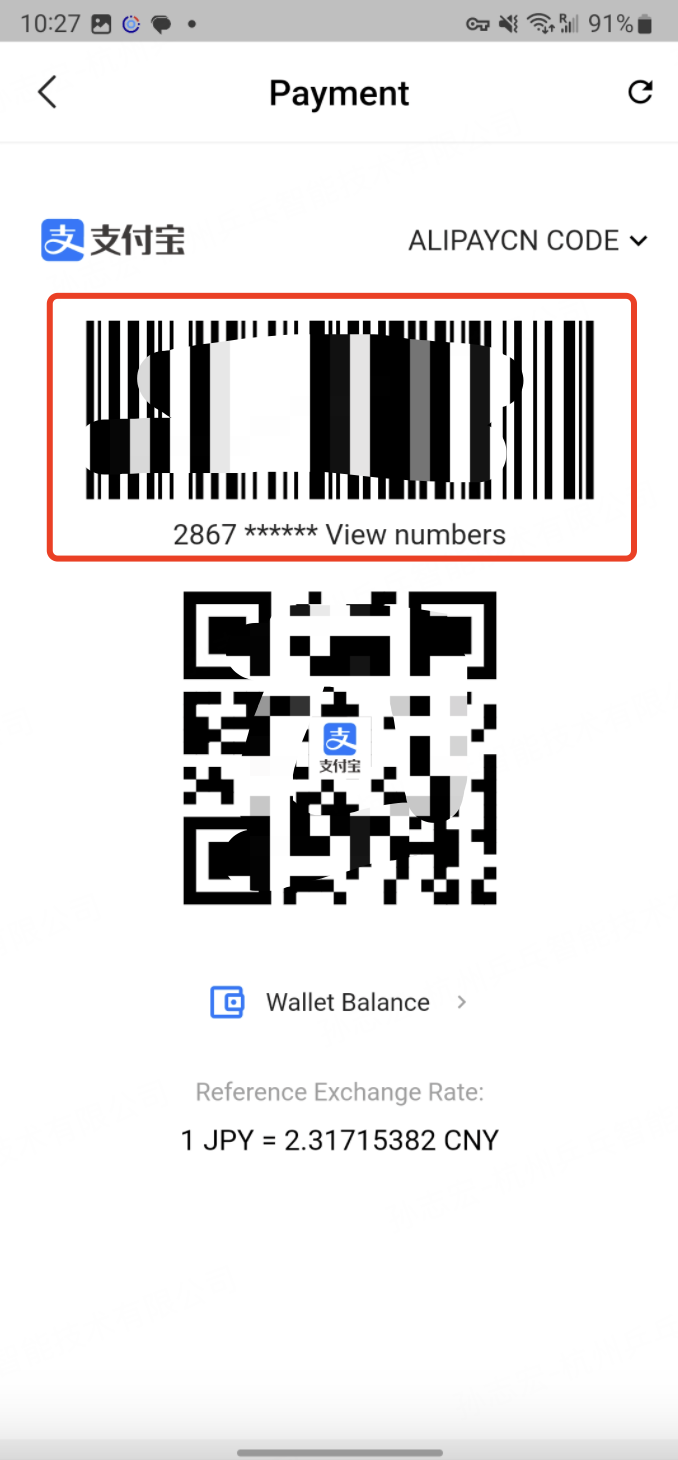
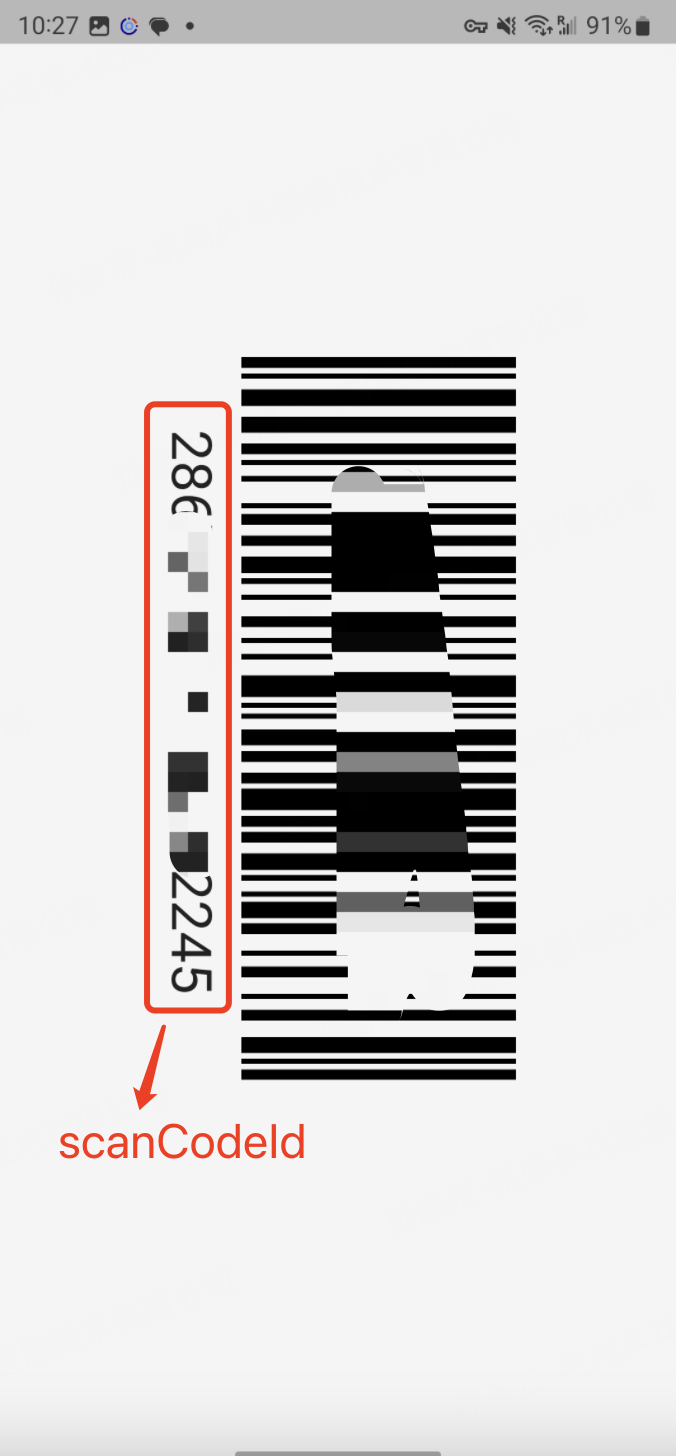
Wechat:
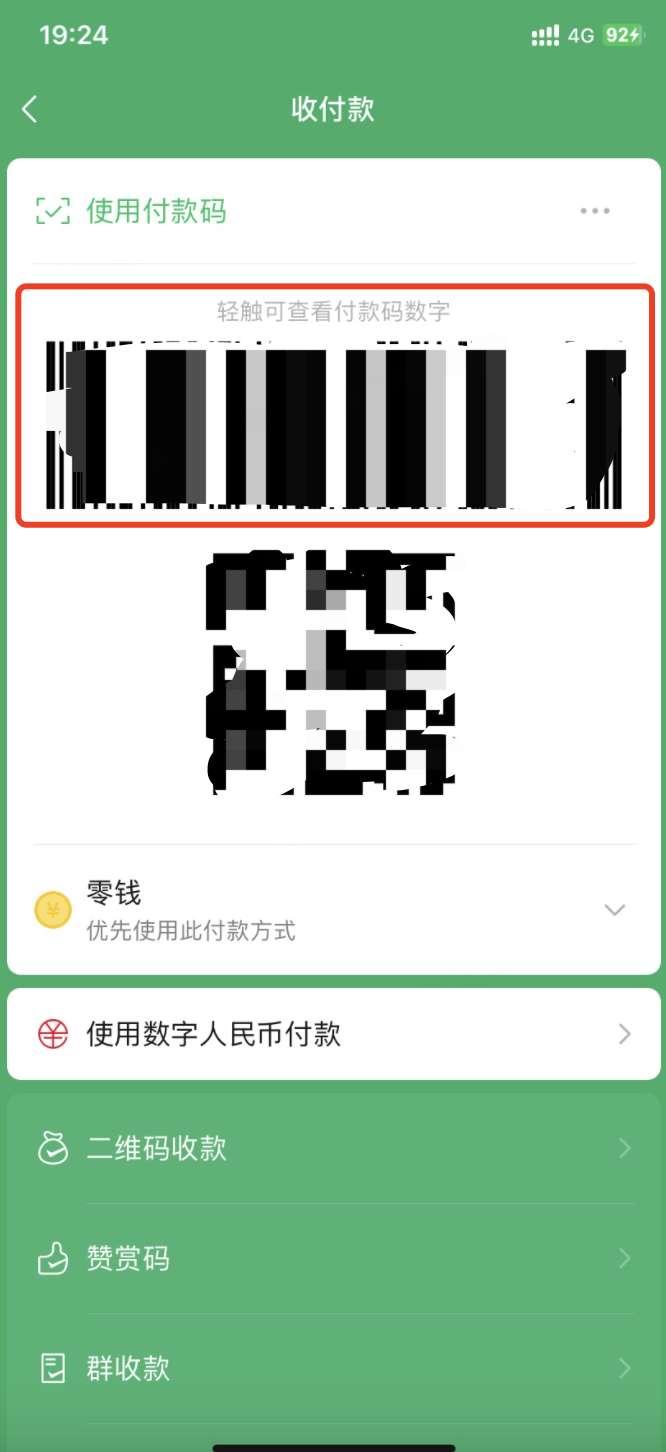
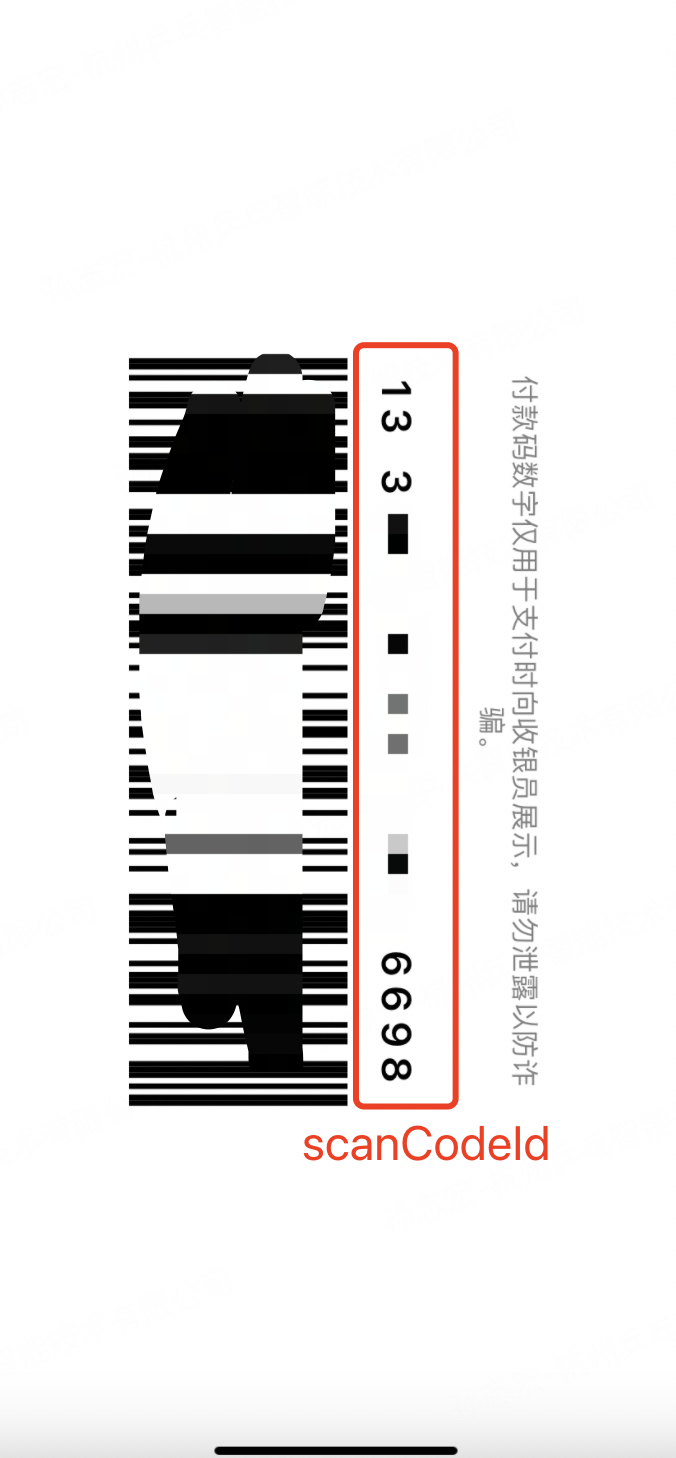
备注:微信支付沙箱测试需要使用真实的微信钱包条形码码值进行测试。
- 发起付款请求,调用 下单并支付接口,在
paymentMethod对象中额外指定:
- paymentMethod.type:支付方式
- scanCodeId:条形码码值
# 支付方式
# Wechat-Offline
请求示例:
{
    "accId": "2023042011040310224447",
    "clientId": "2023042011040310224",
    "signType": "SHA256",
    "sign": "{{Sign}}",
    "version": "1.0",
    "bizContent": {
        "captureDelayHours": 0,
        "amount": 0.02,
        "currency": "CNY",
        "requestId": "{{requestId}}",
        "payResultUrl": "https://www.baidu.com",
        "notificationUrl": "https://test-acquirerpay.pingpongx.com/qa/notify",
        "merchantTransactionId": "{{merchantTransactionId}}",
        "paymentMethod": {
            "type": "Wechat-Offline",
            "scanCodeId":"1328*******1501"
        },
        "device": {
            "orderTerminal": "02"
        }
    }
}
1
2
3
4
5
6
7
8
9
10
11
12
13
14
15
16
17
18
19
20
21
22
23
2
3
4
5
6
7
8
9
10
11
12
13
14
15
16
17
18
19
20
21
22
23
# AlipayCN-Offline
请求示例:
{
    "accId": "2023042011040310224447",
    "clientId": "2023042011040310224",
    "signType": "SHA256",
    "sign": "{{Sign}}",
    "version": "1.0",
    "bizContent": {
        "captureDelayHours": 0,
        "amount": 1,
        "currency": "CNY",
        "requestId": "{{requestId}}",
        "payResultUrl": "https://www.baidu.com",
        "notificationUrl": "https://test-acquirerpay.pingpongx.com/qa/notify",
        "merchantTransactionId": "{{merchantTransactionId}}",
        "paymentMethod": {
            "type": "AlipayCN-Offline",
            "scanCodeId":"286********2272"
        },
        "device": {
            "orderTerminal": "02"
        }
    }
}
1
2
3
4
5
6
7
8
9
10
11
12
13
14
15
16
17
18
19
20
21
22
23
2
3
4
5
6
7
8
9
10
11
12
13
14
15
16
17
18
19
20
21
22
23
# AlipayHK-Offline
请求示例:
{
    "accId": "2023042011040310224447",
    "clientId": "2023042011040310224",
    "signType": "SHA256",
    "sign": "{{Sign}}",
    "version": "1.0",
    "bizContent": {
        "captureDelayHours": 0,
        "amount": 1,
        "currency": "HKD",
        "requestId": "{{requestId}}",
        "payResultUrl": "https://www.baidu.com",
        "notificationUrl": "https://test-acquirerpay.pingpongx.com/qa/notify",
        "merchantTransactionId": "{{merchantTransactionId}}",
        "paymentMethod": {
            "type": "AlipayHK-Offline",
            "scanCodeId":"289********2243"
        },
        "device": {
            "orderTerminal": "02"
        }
    }
}
1
2
3
4
5
6
7
8
9
10
11
12
13
14
15
16
17
18
19
20
21
22
23
2
3
4
5
6
7
8
9
10
11
12
13
14
15
16
17
18
19
20
21
22
23
上次更新: 2023/09/19, 16:45:27